
7 Business Reports Every Small Business Can Start With
A practical starting set of reports for enquiries, sales, collections, delivery, costs, resources and management actions.

A small business needs reports that help someone take action, using figures the team can explain and check. The seven report types below form a practical starting menu. Choose what fits your operating model rather than creating seven spreadsheets simply to complete a list.
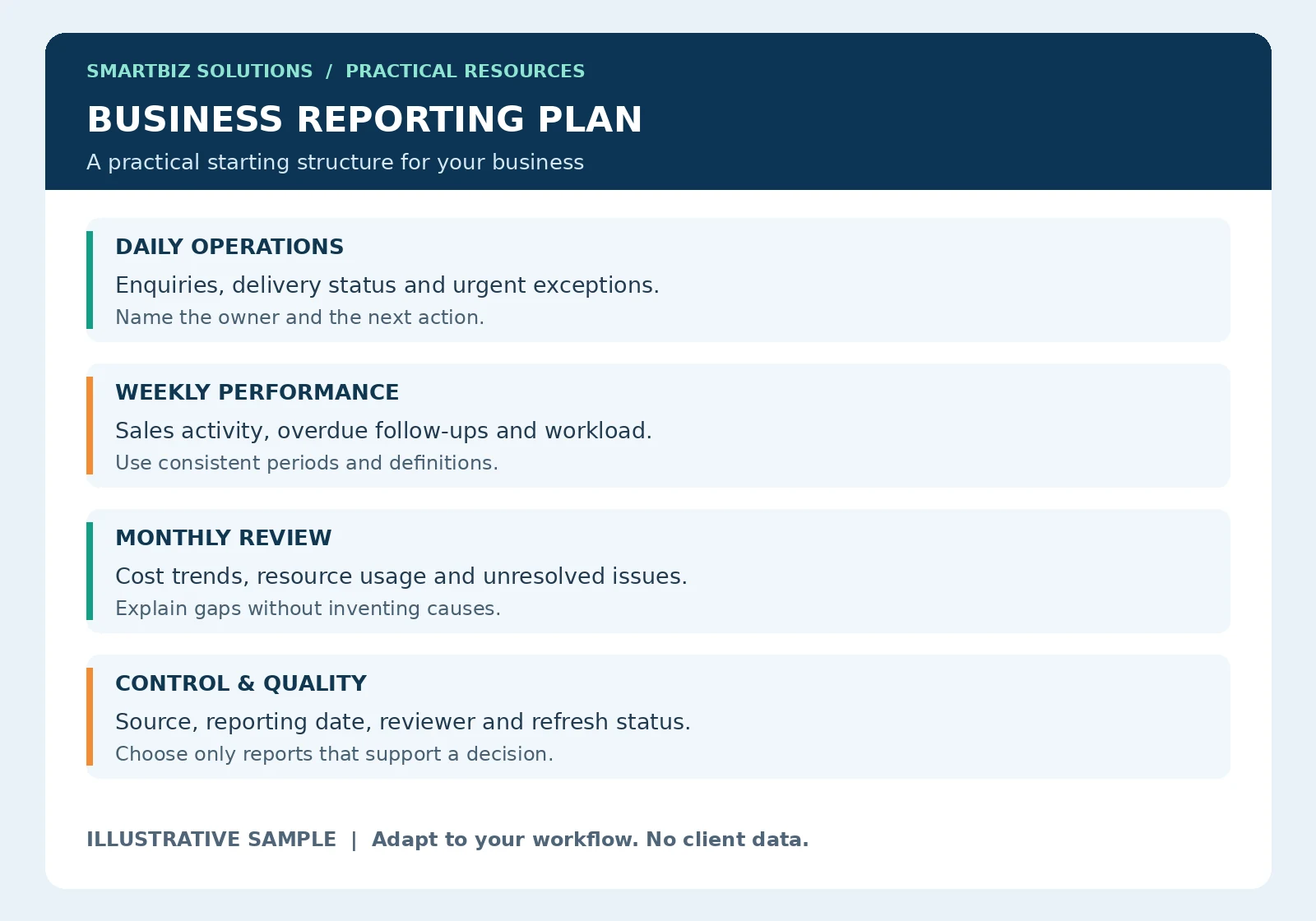
Practical starting point: Adapt the sample to your workflow. Examples are illustrative and do not represent client results.
1. Enquiry and follow-up report
Record when an enquiry arrived, the service requested, its owner, current status and next action. Separate new enquiries from repeat conversations. A short exception view should show which enquiries await a response or have passed an agreed follow-up date.
Review this at a frequency suited to customer expectations. A named owner should resolve missing details and update outcomes. A count of enquiries alone does not show whether the business responded or whether the request matched the offer.
2. Sales or booking activity report
Track the activity relevant to your business: confirmed bookings, accepted orders or another clearly defined event. State whether figures represent counts, billed value, delivered work or another measure. Use consistent definitions so comparisons between periods remain meaningful.
For an illustrative coaching business, enquiries, applications and confirmed admissions would be separate stages. Adding them together would overstate distinct customers. The report should explain the event counted and how repeat records are treated.
3. Collections and outstanding-items report
An operational tracker can show recorded invoices or payment requests, due dates, amounts recorded as received and items requiring reconciliation. Assign follow-up ownership and label disputed or unverified entries. Confirm figures with the responsible accounts person and source records.
This management view supports follow-up; it is not a replacement for accounting records, financial statements or professional accounting review. Keep corrections traceable and avoid overwriting a difference merely to make totals match.
4. Service delivery and pending-work report
Show work received, work completed, pending items and agreed delivery dates. Include exceptions such as missing customer inputs, unavailable resources or approval delays. Status definitions should distinguish work that has not started from work waiting on someone else.
A manager should be able to identify the next action without opening several unrelated files. Where a task changes owner, record the handover and preserve the original request reference.
5. Cost and purchase tracking report
Summarize recorded operating costs or purchases by agreed categories, period and source. Highlight items awaiting approval, supporting evidence or reconciliation. Comparing similar periods can reveal questions worth investigating, but a higher total does not by itself prove waste.
Keep accounting treatment and statutory reporting with the appropriate professional. The operational report’s role is to organize information and make open issues visible.
6. Resource, stock or capacity report
Choose a measure that fits the business. A hotel may monitor available room capacity; a service team may track workload against available staff time; a retailer may track stock movement and exceptions. Define the unit and reporting time before comparing figures.
Avoid mixing units such as staff headcount and staff-hours. Where counts depend on manual input, record when they were checked and identify incomplete locations or periods.
7. Management action and issue report
Record the issue, its impact, agreed action, responsible role, due date and review status. A meeting becomes more useful when previous actions can be checked against evidence rather than remembered from conversation. Close actions only when the agreed completion condition is met.
Agree frequency, ownership and evidence
Use the sample above to separate daily exceptions from weekly performance and monthly review. These frequencies are suggestions, not universal rules. A report should arrive in time for its decision and have one person responsible for preparation and a defined reviewer.
- Purpose: which decision does this report support?
- Source: where do the figures come from?
- Definition: what exactly is counted or calculated?
- Frequency: when is the report needed?
- Action: who responds to an exception?
Build one shared source before adding dashboards
Begin with a structured tracker and consistent field names. Use reports as views of that source where practical, reducing repeated manual entry. Check a sample of totals and exceptions before sharing the output. A colourful dashboard built on inconsistent inputs remains difficult to trust.
Frequently asked questions
Must all seven reports be separate files?
No. Several views can come from one workbook or reporting system. Separate the source data from calculations and presentation where practical.
Which report should we build first?
Choose the recurring decision with the clearest information gap, such as overdue follow-up or pending delivery. Agree its definitions and test it before expanding.
Should reports update automatically?
Only when the source, connection and operating environment support it. Make manual steps and refresh dates visible.
Create reporting your team can maintain
Explore MIS reports and dashboards, the management dashboard guide and process documentation for the collection and review steps behind the reports.
Discuss your requirement on WhatsApp · Get free editable templates and use the reporting-time calculator · Discuss Your Reporting Requirement · Back to Insights & Resources